
If your Wi-Spy Lucid or DBx (Wi-Spy 2.4x & 900x are both discontinued) are not detected by your computer, follow these troubleshooting steps.
Troubleshooting Wi-Spy Hardware
1. Make sure you are using the latest version of Chanalyzer 5.
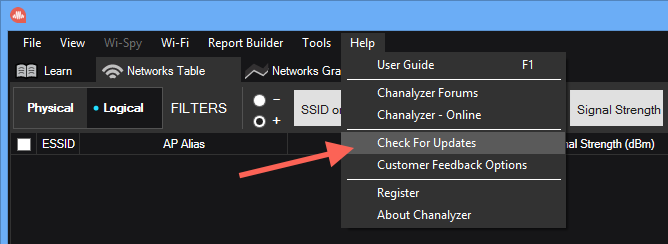
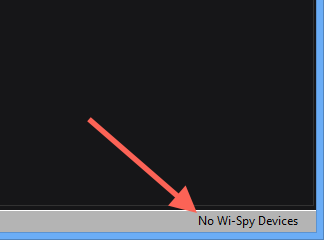
2. Check to see if the Wi-Spy is detected by looking in the lower-left corner of Chanalyzer 5. If Chanalyzer 5 says No Wi-Spy Devices, move on to the next steps.
3. Try a different USB port on your laptop.
4. If you have a Wi-Spy DBx that uses a MiniUSB cable, try using a different MiniUSB cable.
5. Try your Wi-Spy on a different machine.
Replacement Hardware
If none of these steps resolve the issue, Oscium will replace any device within one year of it's purchase date. Contact Oscium support for a replacement.
- If purchased from Oscium, provide your Oscium order number
- If purchased from a Oscium reseller, provide a copy of your purchase invoice in either PDF or JPEG format